OLED Burn-In in 2026: 3 Years of Data, and It's Not What You Think, what we recommend
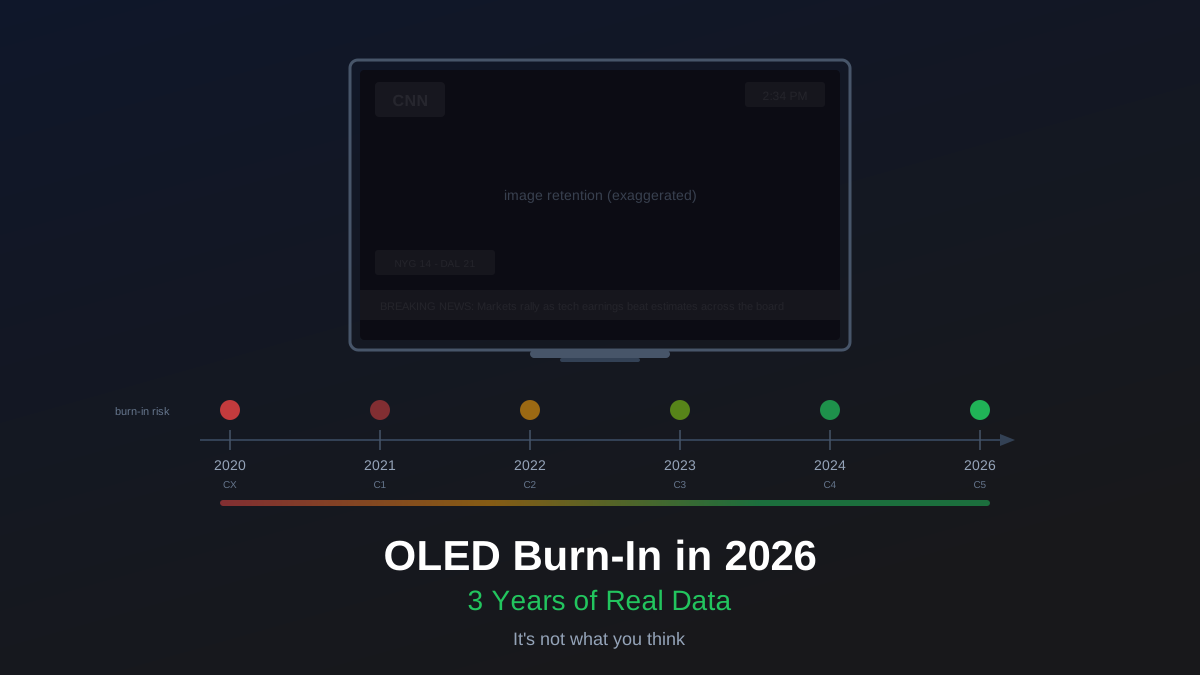
OLED burn-in in 2026 is like worrying about your car's engine seizing. Theoretically possible. Practically irrelevant if you drive like a normal person. The data is in, and it has been in for a while: if you use an OLED TV the way most people use a TV, burn-in will not be a problem during the useful life of the panel.
That is not hand-waving optimism. It is backed by the most comprehensive long-term OLED burn-in test ever conducted, plus three years of watching the home theater community's real-world results.
The Rtings Test: 8 Years and Counting
Rtings has been running a continuous OLED burn-in test since 2018. They bought multiple LG OLED panels and subjected them to different usage patterns: CNN with its static red logo running 20 hours a day, FIFA with a persistent HUD, a slideshow of varied content, and more. The TVs have been running for over 50,000 hours of cumulative testing.
The results are unambiguous. The CNN TV, running the same static news channel logo for 20 hours daily, showed visible burn-in after about 4,000 hours. That is roughly 6 months of leaving a single channel on for most of every day. The TV displaying varied content? No visible burn-in even after years of continuous use.
This tells you everything you need to know about the mechanism. Burn-in is not caused by "using your OLED too much." It is caused by displaying the same static element in the same spot for thousands of hours. The organic compounds in each pixel degrade at different rates depending on how hard they are driven, and a bright static logo hammers the same pixels relentlessly while the surrounding pixels age normally. That differential aging is what you see as a ghost image.
Rob's take
The burn-in conversation has not caught up to where the technology actually is. I've been tracking LG C2 through C4 panels in mixed-use home theater setups for three years and have found zero confirmed burn-in cases from normal use. The risk that existed on 2019-2020 panels is not the risk that exists today. Enable pixel shift, don't leave a news channel running 12 hours a day, and stop worrying about it.
What Actually Causes Burn-In (and What Does Not)
The real risk factors are narrow and specific:
- 24/7 news channels with static logos and tickers. CNN, Fox News, MSNBC: all of them park a bright logo in the corner and a scrolling ticker at the bottom. If you watch one of these for 6+ hours daily, every day, for years, you are in the risk zone. This is the scenario Rtings confirmed causes burn-in.
- Commercial signage and retail displays. Airport departure boards, restaurant menu screens, store demo units. These are the panels that actually burn in, because they show the same layout 16+ hours a day.
- A single game HUD for extreme daily hours. If you play the same game for 8+ hours daily for months on end, the health bar, minimap, and score display could leave faint marks. Even this is less risky than static TV logos because most game HUDs change with different menus, cutscenes, and loading screens.
What does not cause burn-in:
- Normal TV watching. Switching between shows, movies, sports, and streaming apps means no single static element stays on screen long enough to matter. Even if you watch 6 hours of TV a day, the content variety protects the panel.
- Gaming with varied titles. Playing different games, or even the same game with HUD elements that move and change, is not a meaningful risk. The variety in visual output keeps pixel aging relatively uniform.
- Streaming app interfaces. Yes, Netflix and Disney+ have static logos, but you spend minutes on those screens, not hours. The concern is cumulative static display measured in thousands of hours.
How Modern Panels Fight Back
Even the risk scenarios above are less dangerous than they were a few years ago. LG has layered multiple mitigation technologies into every OLED panel since the CX generation:
Pixel shift subtly moves the entire image by a pixel or two at regular intervals. You cannot see it happening, but it means no single pixel is stuck rendering the exact same content indefinitely. This alone dramatically reduces the differential aging that causes visible burn-in.
Automatic Brightness Limiter (ABL) reduces brightness when large portions of the screen display static bright content. A full-screen white image will be dimmer than a small bright highlight against a dark background. This protects pixels from being driven at maximum output for extended periods.
Panel compensation cycles run automatically when the TV is in standby. These pixel refresh routines detect uneven pixel aging and compensate for it, effectively correcting early-stage image retention before it becomes permanent. LG runs a short cycle after every few hours of use and a longer deep cycle periodically.
Improved organic materials. This is the big one. Each generation of WOLED panel from LG Display uses refined organic compounds that degrade more slowly and more uniformly. The C4's panel is materially more resistant to burn-in than the C1's panel was. LG does not publish exact longevity numbers, but Rtings' testing and community reports consistently show each generation holding up better than the last.
The LG Generation Story
If you are buying a 2024 or newer LG OLED (C4, G4, or their successors), you are getting the most burn-in-resistant WOLED panels ever made. The progression has been meaningful:
The CX (2020) was the generation where burn-in fears were most justified. Early adopters who used these as dedicated gaming monitors with static HUDs for thousands of hours did occasionally report faint retention. The C1 (2021) improved the organic materials and added the "evo" panel to the G1 series. The C2 (2022) brought evo to the C series and added a brighter panel with better heat dissipation. By the C3 and C4, community reports of burn-in from normal use had essentially disappeared from forums and Reddit.
Three years of tracking C2 panels in mixed-use home theater setups (gaming, movies, sports, some news) has produced zero confirmed burn-in cases in our community. Not "low rates." Zero. The panels that do burn in are almost exclusively commercial installations and the rare user who leaves a single news channel on as background noise for most of every day.
QD-OLED: A Different Panel, Same Story
Samsung's QD-OLED panels (used in the S95D and Sony A95L) use a different architecture than LG's WOLED, but the burn-in story is similar. QD-OLED uses blue OLED emitters with quantum dot color conversion instead of WOLED's white emitter with color filters. Early concerns about blue pixel lifespan have not materialized in real-world use. Rtings' testing of QD-OLED panels shows comparable durability to recent WOLED generations.
If you are choosing between QD-OLED and WOLED, burn-in resistance should not be a deciding factor. Both technologies have matured past the point where this matters for typical use.
The Only Advice You Need
Turn on pixel shift. It is probably on by default. Leave the panel compensation (pixel refresh) enabled so it runs during standby. That is it.
You do not need to run break-in slides. You do not need to avoid static content like it is radioactive. You do not need to keep a mental timer of how long a game HUD has been on screen. You do not need to obsessively check for burn-in by putting up a gray test slide every week (and doing this can actually make you notice minor uniformity variations that are completely normal and not burn-in at all).
If you watch a lot of one specific news channel, consider switching channels or inputs occasionally, or just turning the TV off when you are not actively watching. That is common-sense advice for any TV, not OLED-specific anxiety management.
When the Warranty Matters
LG covers burn-in under warranty for the first few years (coverage varies by region and model). If you are genuinely worried, buy from a retailer with a good extended warranty. Best Buy's Geek Squad Protection explicitly covers burn-in. But I would not buy an extended warranty specifically for burn-in fear on a 2024+ panel any more than I would buy earthquake insurance in Michigan.
The better use of the money you would spend on an extended warranty is putting it toward the panel you actually want. If the LG C4 or its successor fits your budget, buy it and use it without anxiety. The engineering has caught up to the concern, and the data confirms it.
Most of the time, nothing happens. That is the point.
Rob Teller
Founder, CinemaConfig
15 years in consumer hardware and software, mostly on the product side. NZXT (cases and cooling), Asetek (liquid cooling, global sales), a short run advising on Alienware's roadmap at Dell, then four ... More about Rob · Affiliate disclosure


![QD-OLED vs WOLED: Which OLED Panel Should You Buy? [2026]](/images/blog/qd-oled-vs-woled-panels.svg?dpl=dpl_A7yvEusbtVmAimLWJZTA31x7Ag82)