Dual Subwoofer Setup: Placement, Configuration, and Whether You Actually Need Two
Dual subwoofers are not about getting louder bass. They are about getting even bass at every seat in the room. A single subwoofer, no matter how expensive, creates standing waves that produce boomy peaks at some listening positions and near-total cancellation at others. Two subs placed correctly break up those patterns and deliver consistent low-frequency response across the entire seating area.
If you have ever noticed that bass sounds completely different when you walk from one end of your couch to the other, that is the problem dual subs solve. And it is a physics problem, not an equipment quality problem.
Why One Sub Creates Dead Spots
Your room's dimensions create standing waves at predictable frequencies. The formula is simple: take the speed of sound (1,130 ft/s), divide by twice the room dimension. A 20-foot long room has a primary axial mode at 1,130 / (2 x 20) = 28.25 Hz, with harmonics at 56.5 Hz, 84.75 Hz, and so on up the frequency range. At each of those frequencies, the room creates fixed patterns of high pressure (peaks) and low pressure (nulls).
The midpoint of any room dimension is always a null for the fundamental mode along that axis. Sit at the exact center of a 20-foot room and 28 Hz nearly disappears. Move to the back wall and it doubles in perceived volume. This is not a subwoofer problem. It is a room problem. You can spend $3,000 on a single SVS PB-16 Ultra and the physics remains identical.
Room correction software like Audyssey, Dirac, and YPAO can reduce peaks (by cutting the signal at problem frequencies) but cannot meaningfully fill nulls. You cannot add acoustic energy where the room's physics cancel it. This is the fundamental limitation of a single subwoofer: EQ helps the main seat but the person on the end of the couch still gets a compromised experience.
Rob's take
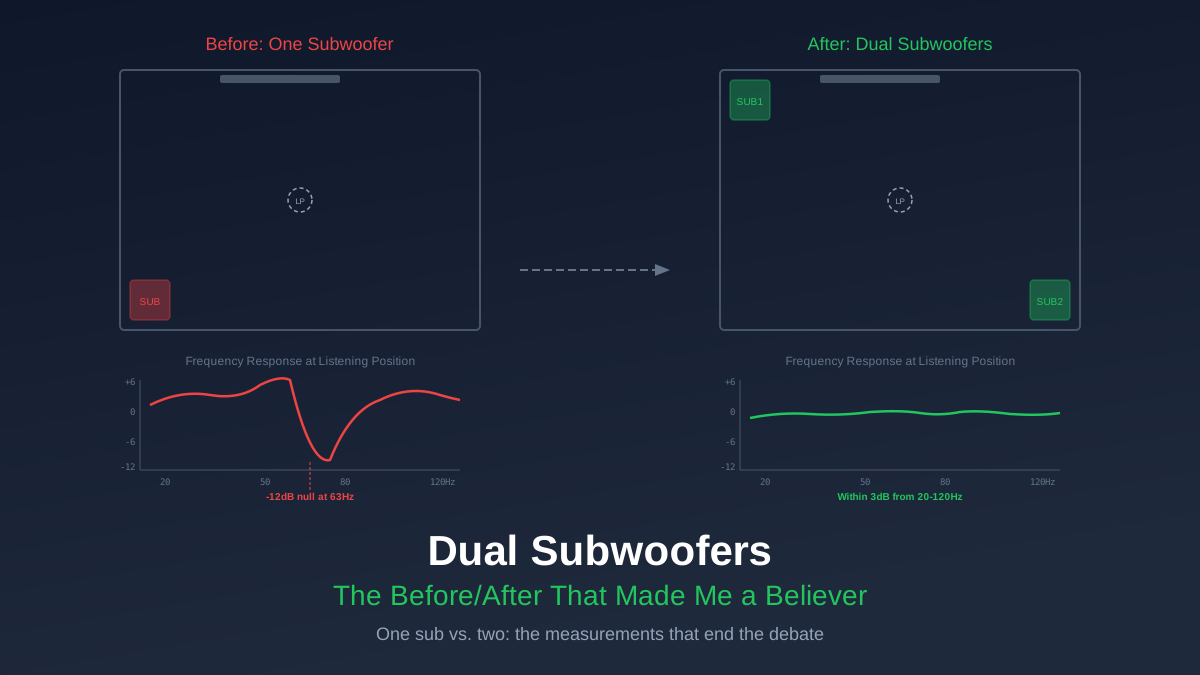
I resisted dual subs for years because I assumed it was audiophile excess. Then I measured my room with REW and saw a 22 dB variation at 50 Hz across three seats. Twenty-two decibels. That is the difference between a whisper and normal conversation. Adding a second sub in the right spot brought that variation down to 6 dB. No amount of EQ on a single sub could have done that.
Placement Options, Ranked
Where you put the two subs matters more than which subs you buy. The goal is to excite the room's modes differently from each position, so their combined output averages out the peaks and nulls. Here are your options from best to worst.
1. Midpoint of Opposing Walls
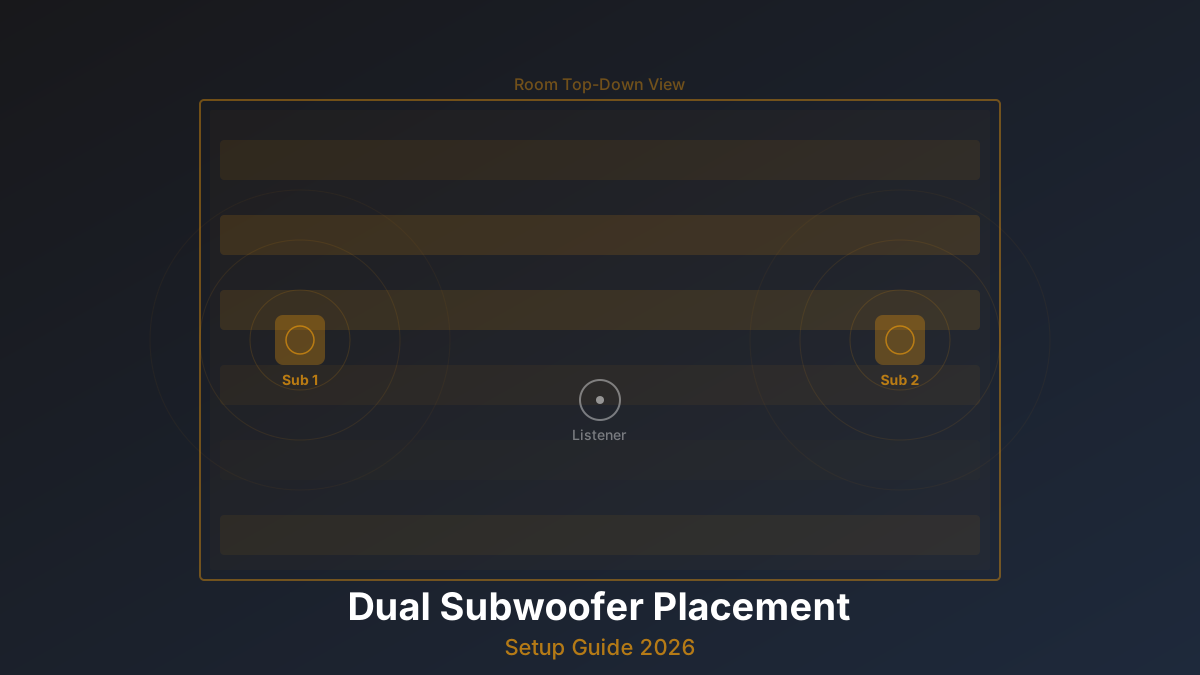
One sub centered on the front wall, the other centered on the rear wall. This is the mathematically optimal placement for smoothing front-to-back modes, which are typically the most problematic because rooms are usually longest in that dimension. Research from Harman and Todd Welti's AES papers confirms this placement produces the most consistent bass across the widest listening area.
The downside: running a subwoofer cable to the back of the room is a pain, and the rear sub may need to be near a doorway or walkway. Use flat subwoofer cable under carpet or along baseboards if needed.
2. Diagonal Corners (Front-Left + Back-Right)
This is the practical compromise most people end up with. Diagonal corners excite all three axial mode families (length, width, height) differently from each position, giving you good smoothing across most of the room. It is not quite as effective as midpoint-opposing for the primary length mode, but it handles width and height modes better.
Corner placement also gives each sub boundary gain from two walls and the floor, meaning you get about 6-9 dB of free output compared to a freestanding position. Your subs work less hard, play lower, and distort less.
3. Both Flanking the Display
This is the most common placement because it is the easiest: one sub on each side of the TV or screen. It looks clean and requires no long cable runs. The problem is that both subs are on the same wall at roughly the same distance from the front boundary, so they excite front-to-back modes identically. You get smoothing of left-to-right modes only.
If your room is wider than it is long (unusual but not unheard of), this placement actually works well. For the typical rectangular room where length is the dominant dimension, it leaves the biggest problem unsolved.
4. Both in the Same Corner or Side
This gives you more output but almost zero modal smoothing. You have essentially built a louder single sub. The only reason to do this is if your room is small enough that you only have one viable sub location and you need more headroom than a single driver can provide.
Configuration: Getting Two Subs to Work Together
Placing the subs is step one. Getting them calibrated correctly is step two, and skipping this step wastes most of the benefit.
Step 1: Match Levels
Both subs need to produce the same SPL at the listening position. Set your AVR's test tone to the subwoofer channel and use an SPL meter app (or a real meter if you have one) at your main seat. Adjust each sub's gain knob until they read within 1 dB of each other, individually. Do not run them simultaneously for this step.
Step 2: Set Phase
With both subs connected and playing simultaneously, toggle the phase switch on the second sub between 0 and 180 degrees. Whichever setting produces louder bass at the crossover frequency (typically 80 Hz) at your main listening position is correct. The reason: if the subs are different distances from your seat, their sound waves may arrive slightly out of sync, and the phase switch corrects for that.
Some subs offer a continuously variable phase knob (0-360 degrees). If yours does, play a 80 Hz test tone, sit in your main seat, and slowly rotate the knob until bass is loudest. That is your optimal phase setting.
Step 3: Run Room Correction
After manual level and phase matching, run your AVR's room correction (Audyssey MultEQ, Dirac Live, YPAO, etc.) with both subs connected. The software will fine-tune levels, distances, and EQ for the combined response. If your AVR supports independent subwoofer EQ (Denon X3800H and above with Audyssey MultEQ-X, or any Dirac Live system), it can optimize each sub separately, which yields better results.
The Sony Sub 9 (part of the Bravia Theater system) and SVS's new Revolution 3000 series both offer dedicated dual-sub pairing modes that auto-match level and phase wirelessly. If you are in the Sony or SVS ecosystem, this simplifies setup considerably.
Room Size Thresholds
Not every room needs dual subs. Here is how to think about it based on room volume (length x width x height).
Under 2,000 cubic feet (e.g., 14' x 12' x 9'): a single well-placed subwoofer, calibrated with room correction, is probably sufficient. The room's modes are at higher frequencies where your main speakers contribute, and the smaller space means less variation across seats. Save your money for a better single sub.
2,000 to 2,500 cubic feet (e.g., 16' x 14' x 9'): dual subs provide a measurable improvement, especially if you have seating spread across the room. Worth doing if the budget allows, but not mandatory.
2,500 to 4,000 cubic feet (e.g., 20' x 16' x 9'): dual subs are strongly recommended. The primary room modes are now in the 25-45 Hz range where subwoofers do all the work, and the distances involved create significant variation across seats.
Over 4,000 cubic feet (e.g., 25' x 18' x 9'): dual subs are nearly mandatory for acceptable multi-seat bass. Some large rooms benefit from four subs, though that is a topic for another day.
Use our Room Modes Calculator to see exactly which frequencies are problematic in your specific room dimensions.
Two Cheap Subs vs. One Expensive Sub
This is the question everyone asks, and the answer depends on what you are optimizing for. Two RSL Speedwoofer 10S subs ($400 each, $800 total) will give you more even bass across multiple seats than a single $800 sub of any brand. The modal smoothing from two sources is a physics advantage that no single sub can match.
But: a single SVS PB-2000 Pro ($900) will play lower and louder than two Speedwoofer 10S subs. If you have one seat and one listener, the single better sub wins on raw performance.
For most home theaters with a couch and multiple viewers, two good subs beats one great sub. For a dedicated single-seat setup, one great sub with careful placement and EQ can be the better value. We wrote a deeper analysis in Are Dual Subs Worth It? if you want the full comparison.
Matching Matters (But Not As Much As You Think)
Ideally, use two identical subwoofers. Same model, same driver, same enclosure tuning. This makes level matching trivial and ensures both subs have the same frequency response shape before room effects.
Mixing brands or models can work, but it adds complexity. Different subs have different rolloff slopes, group delay characteristics, and output compression behaviors. Your room correction software will do its best to equalize them, but it cannot fix fundamental differences in how two mismatched subs compress at high output levels.
If you already own one sub and want to add a second, getting the same model is the path of least resistance. If your sub is discontinued, the closest current equivalent from the same manufacturer is your next best option. Mixing a ported sub with a sealed sub is the hardest combination to calibrate, avoid it if you can.
Measurement: How to Verify It Worked
Ear impressions are unreliable for bass. You need measurement to confirm your dual sub setup is actually working. Download REW (Room EQ Wizard, free) and pick up a miniDSP UMIK-2 measurement microphone (~$80). Measure the frequency response at each seat with a single sub, then with both subs. You should see a clear reduction in the peak-to-null variation, typically from 15-25 dB down to 5-10 dB across the 20-80 Hz range.
If the dual sub measurement does not show improvement, your placement is wrong. Go back to the placement options above and try a different configuration. The SBIR Calculator can help you understand boundary interactions at each potential position.
Rob's take
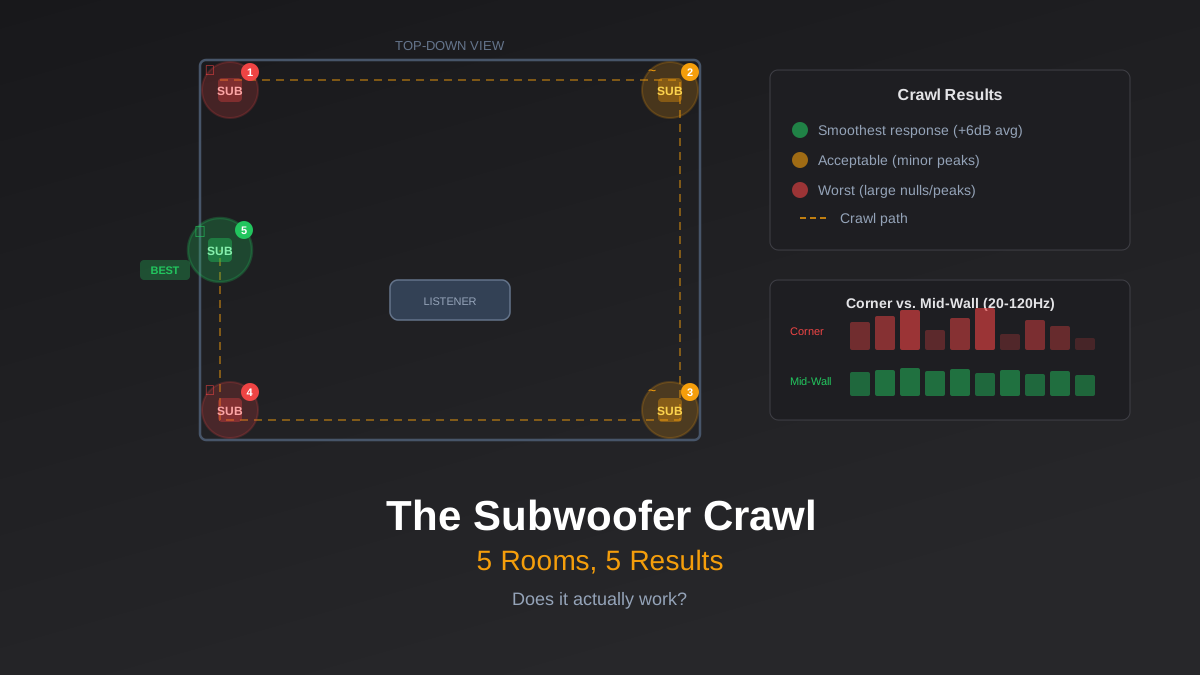
The subwoofer crawl is great for finding the best single-sub position, but it does not work for dual subs because the second sub's optimal position depends on the first sub's position. You need REW measurements or a good auto-cal system. There is no shortcut here, but the $80 for a UMIK-2 pays for itself immediately in time saved versus guessing.
Run our Room Modes Calculator with your room dimensions to see which frequencies will cause the most trouble, then measure to confirm. The combination of predictive calculation and real measurement is what separates a dialed-in dual sub system from two subwoofers that happen to be in the same room.
About CinemaConfig
CinemaConfig helps you build a home theater that works. Our free system builder validates component compatibility, and our calculator tools handle the math behind viewing distance, amplifier power, room acoustics, and more.
Our content is based on manufacturer specifications and industry standards. For full details, see our affiliate disclosure.