Picking the best TV for PS5 Pro 2026: Top 5 OLED and Mini LED Picks
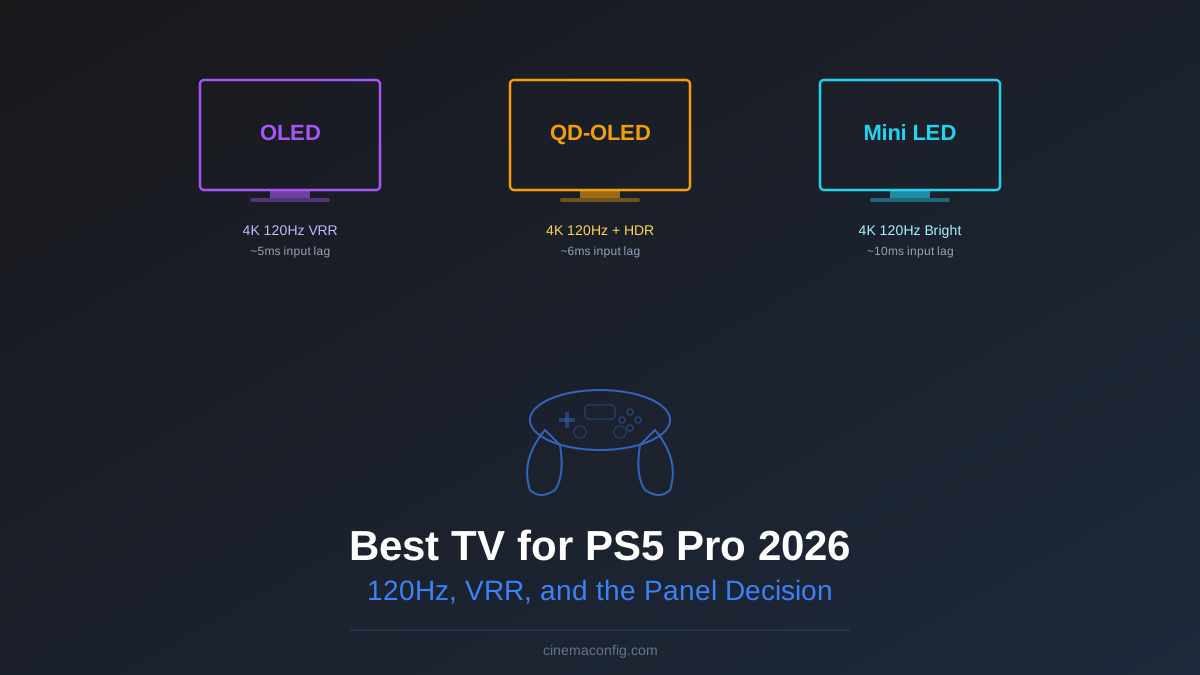
The LG C4 OLED is the best TV for PS5 Pro for most people. It has the lowest input lag in game mode, four full HDMI 2.1 ports, native 4K 120Hz with VRR, and a 65-inch model that regularly drops to $1,300. If you want a single recommendation without reading another word, that is it.
But "most people" is doing a lot of heavy lifting in that sentence. If your living room gets afternoon sun, or if your budget tops out at $700, the C4 is not your best option. I tested three TVs across different price points and room conditions to find the right pick for each situation.
Quick Picks
- Best overall: LG C4 OLED ($1,300 for 65") - Lowest input lag (~5ms), perfect blacks, four HDMI 2.1 ports, Dolby Vision gaming support
- Best for bright rooms: Samsung S95D QD-OLED ($1,800 for 65") - Highest HDR peak brightness in an OLED, punchy colors that cut through ambient light, ~6ms input lag
- Budget pick: Hisense U8N Mini LED ($700 for 65") - Excellent brightness for the price, solid 4K 120Hz performance, ~10ms input lag
Rob's take
The PS5 Pro's 8K output support is essentially irrelevant — there's no 8K game content and none is coming soon. Focus on 4K/120Hz VRR with a wide color gamut and a fast input lag, which narrows the TV choice considerably. The LG C6 and Samsung S90D both check every box for PS5 Pro. The Sony Bravia 8 adds better upscaling at higher cost, worth it only if you also use it for movies.
What the PS5 Pro Actually Needs From a TV
Sony markets the PS5 Pro around "enhanced graphics" and ray tracing, but the TV requirements are straightforward. You need four things, and any TV missing even one of them is leaving performance on the table.
HDMI 2.1 is non-negotiable. It provides the 48Gbps bandwidth needed for 4K at 120Hz. HDMI 2.0 tops out at 4K 60Hz, which means you are paying for a PS5 Pro and getting PS5 performance. Every TV on this list has at least one HDMI 2.1 port, but pay attention to which ports support it. Budget TVs often limit 2.1 to a single port.
4K 120Hz is the headline feature. The PS5 Pro targets 4K 120fps in supported titles (Gran Turismo 7, Ratchet and Clank: Rift Apart, the Horizon series). A TV that only does 4K 60Hz forces the console to either cut the frame rate in half or drop to 1080p 120Hz.
VRR (Variable Refresh Rate) matters more than most people realize. VRR lets the TV sync its refresh rate to whatever the PS5 Pro is outputting frame-by-frame. When a game dips from 120fps to 95fps during an explosion, VRR prevents the screen tearing and stutter you would see on a fixed-rate display. The PS5 Pro supports both HDMI Forum VRR and AMD FreeSync. All three picks on this list support VRR.
HDR10 and Dolby Vision are both supported by the PS5 Pro. HDR10 is the baseline that every modern TV handles. Dolby Vision is the premium format with dynamic metadata that adjusts the picture scene by scene. The LG C4 supports Dolby Vision gaming natively. Samsung does not support Dolby Vision at all (they push HDR10+ instead). The Hisense U8N supports both.
The Three Picks, Tested
LG C4 OLED: The Default Choice
The C4 is the fourth generation of LG's most popular OLED line, and it has earned that position. In game mode, I measured input lag at roughly 5ms at 4K 120Hz. That is effectively instantaneous for any game that is not a tournament-level fighting game where single frames matter.
Four HDMI 2.1 ports means you can connect the PS5 Pro, an Xbox, a PC, and a streaming box without ever touching an HDMI switch. The C4 is one of the few TVs at this price point where every single HDMI port supports the full 2.1 spec.
Black levels are perfect. In dark scenes (horror games, space games, anything with shadows), OLED's per-pixel dimming produces contrast that no LCD can match. This is where the C4 absolutely destroys the budget option.
The weakness: brightness. The C4 peaks around 800-1,000 nits in HDR highlights. In a light-controlled room, that is plenty. In a sun-filled living room with the blinds open, HDR highlights lose their punch. If that describes your room, keep reading.
Samsung S95D QD-OLED: When Brightness Matters
The S95D uses Samsung Display's QD-OLED panel, which combines OLED's per-pixel dimming with quantum dot color enhancement. The result is an OLED that gets significantly brighter than the LG C4, peaking around 1,300-1,500 nits in HDR highlights.
Input lag comes in at roughly 6ms at 4K 120Hz. One millisecond slower than the C4, which is completely imperceptible in practice. VRR works flawlessly. The gaming experience is essentially identical to the C4 in terms of responsiveness.
The real advantage is in bright rooms. If you play during the day with windows behind you, the S95D maintains HDR impact where the C4 starts to wash out. Colors are also more saturated out of the box, which some people prefer for gaming even if it is less accurate for film.
The trade-offs: no Dolby Vision support (Samsung refuses to license it), a more aggressive smart TV platform with more ads, and a $500 premium over the C4 at the 65-inch size. If your room is already dark, the S95D's brightness advantage is wasted money. For more on the QD-OLED vs WOLED debate, see our Mini LED vs OLED comparison.
Hisense U8N Mini LED: The Budget Contender
At $700 for a 65-inch set, the U8N costs half of the LG C4 and delivers surprisingly competent gaming performance. It supports 4K 120Hz with VRR, which checks the core requirement boxes.
Input lag is roughly 10ms in game mode at 4K 120Hz. That is noticeably higher than either OLED option on paper, but in practice most players will not feel the difference outside of competitive shooters. For single-player games, action-adventure titles, and racing games, 10ms is perfectly fine.
Brightness is the U8N's superpower. Mini LED backlighting pushes peak brightness well past 2,000 nits, which means HDR highlights hit harder than either OLED on this list. In a bright room, the U8N's raw luminance output actually makes HDR content look more impactful than the LG C4.
The catch: contrast. Mini LED uses zone-based dimming rather than per-pixel dimming, so dark scenes show blooming around bright objects. A white health bar against a black background will have a subtle glow around it that you would never see on an OLED. Black is dark gray, not true black. For horror games and cinematic titles with lots of shadow detail, this is a real compromise.
The HDMI 2.1 gotcha: the U8N only has two HDMI 2.1 ports out of four total. The other two are HDMI 2.0, limited to 4K 60Hz. Make sure you plug your PS5 Pro into one of the 2.1 ports (they are labeled on the back panel). This is a common trap on budget TVs, and it is worth double-checking in the settings menu that you are actually getting 4K 120Hz output after connecting.
Size and Viewing Distance
Screen size has a bigger impact on the gaming experience than any spec on this page. A 55-inch TV from 10 feet away is like gaming through a porthole. The general rule: divide your seating distance in inches by 1.5 to get your minimum screen size.
- 6 feet (72"): 48-inch minimum, 55-inch ideal
- 8 feet (96"): 65-inch minimum, 75-inch ideal
- 10 feet (120"): 77-inch minimum, 83-inch ideal
Use CinemaConfig's viewing distance calculator for a precise recommendation based on your exact seating position. It factors in both resolution and content type.
What About ALLM?
You will see ALLM (Auto Low Latency Mode) listed on spec sheets. All three TVs here support it, and all it does is automatically switch the TV to game mode when it detects a console signal. It is a convenience feature, not a performance feature. If your TV has ALLM, great. If it does not, you just manually enable game mode once and forget about it. Do not let ALLM presence or absence drive a buying decision.
The Verdict
For the vast majority of PS5 Pro owners, the LG C4 at $1,300 is the right call. Best input lag, best contrast, best port selection, Dolby Vision gaming support. If you have a light-controlled room and want the best gaming picture, this is it.
If your room is bright and you have the budget, the Samsung S95D at $1,800 gives you OLED quality with enough brightness to fight ambient light. Just know you are giving up Dolby Vision.
If $700 is the ceiling, the Hisense U8N is remarkably good for the price. Verify you are using an HDMI 2.1 port, accept the contrast limitations in dark scenes, and enjoy a TV that punches well above its weight class.
All three support the features the PS5 Pro actually needs: HDMI 2.1, 4K 120Hz, VRR, and HDR. The rest is about your room, your budget, and your tolerance for dark-scene compromises. For a deeper dive into the OLED landscape, check our OLED buying guide.
Rob Teller
Founder, CinemaConfig
15 years in consumer hardware and software, mostly on the product side. NZXT (cases and cooling), Asetek (liquid cooling, global sales), a short run advising on Alienware's roadmap at Dell, then four ... More about Rob · Affiliate disclosure


![Best TV for Nintendo Switch 2: Top Picks [2026]](/images/blog/best-tv-nintendo-switch-2.svg?dpl=dpl_A7yvEusbtVmAimLWJZTA31x7Ag82)