Picking the best TV for Nintendo Switch 2: Top Picks
Quick Picks
- Best value: TCL QM6K 55" (~$450). Mini-LED, 144Hz, HDR10+, ~2,000 nits. Shows everything the Switch 2 can output.
- Best OLED on a budget: LG B4 48" (~$600 on clearance). Perfect blacks, 120Hz, 4x HDMI 2.1. Last year's model at this year's clearance price.
- Best if you also own a PS5: LG C6 65" ($2,700). Overkill for Switch 2 alone, but covers both consoles with 165Hz VRR and the best panel LG ships at this size.
Rob's Take
The Switch 2 does not need a $3,000 TV. Most Nintendo games render at 720p to 1080p internally and use DLSS to upscale to 4K. A good $450 Mini-LED or a $600 clearance OLED shows you everything the console can produce. The money you save by going budget on the TV could fund a solid soundbar or a second controller. If you also game on a PS5 Pro or Xbox, that changes the calculation, but for a Switch 2 setup specifically, diminishing returns hit hard above $800.
What the Switch 2 Sends to Your TV (and What It Doesn't)
The biggest mistake Switch 2 buyers make with TV shopping is assuming it works like a PS5 Pro. It does not. The Switch 2's display output is more limited than you might expect from a 2025 console, and understanding those limits is the fastest way to avoid overspending on a TV.
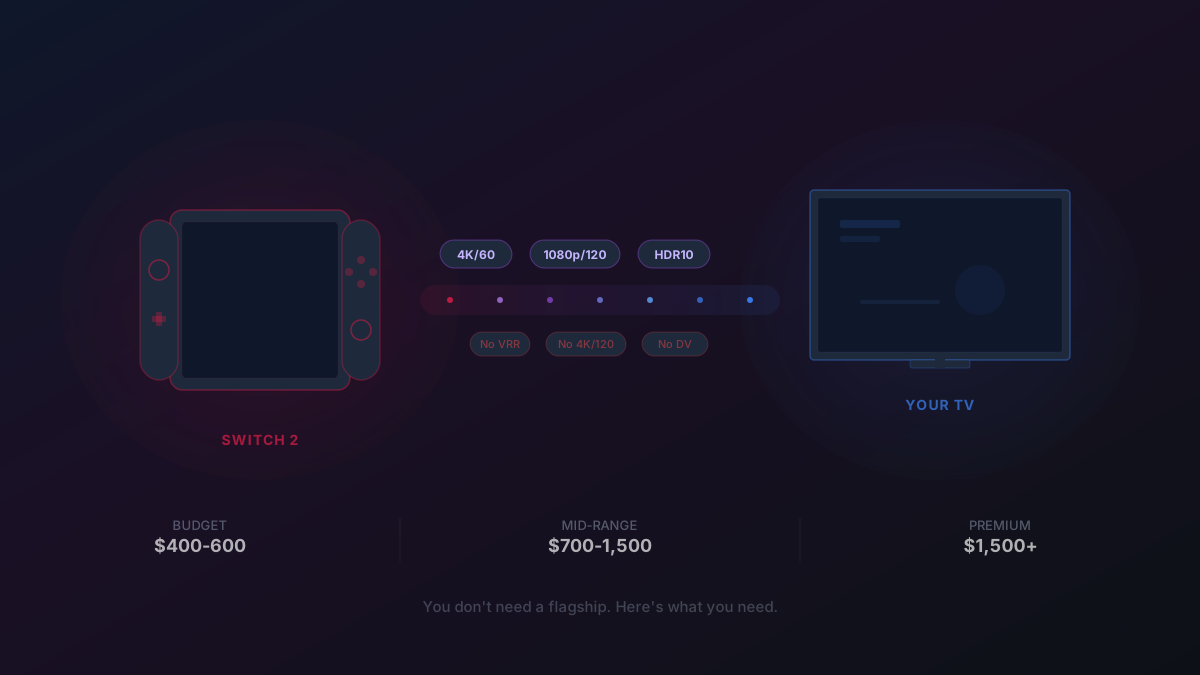
Maximum resolution: 4K at 60fps. The Switch 2 can output a 3840x2160 signal, but here is the fine print: most games are not rendering at native 4K. Internal resolution is typically 720p to 1080p, and Nvidia's DLSS upscaling fills in the rest. Two variants of DLSS are in play: a full CNN-based model (similar to DLSS 3 on PC) for output up to 1080p, and a lighter "DLSS Light" version for upscaling beyond 1080p to 1440p or 4K. The full version looks cleaner; the light version is sharper but introduces more artifacts during camera movement.
120fps modes exist, but only at 1080p and 1440p. You cannot get 4K/120Hz from a Switch 2. If a game supports 120fps, it outputs at either 1080p/120 or 1440p/120. This requires HDMI 2.1 on your TV. If your TV only has HDMI 2.0 ports, you are locked to 4K/60 and miss out on 120fps entirely.
HDR10 only. No Dolby Vision. No HDR10+. If your TV supports Dolby Vision, great for your streaming apps and Blu-ray player, but the Switch 2 will not use it. An HDR10-capable TV with decent peak brightness (600+ nits, ideally 1,000+) is all you need for HDR gaming on this console.
And here is the one that surprises everyone:
No VRR in docked mode. Nintendo confirmed this in May 2025 after initially publishing incorrect specs on their website. The dock converts DisplayPort to HDMI via a Realtek chip, and VRR over that bridge is technically difficult. VRR works in handheld mode only. If your TV has FreeSync, G-Sync, or HDMI Forum VRR, those features provide zero benefit for Switch 2 gaming. (They still help with PS5, Xbox, and PC gaming.)
ALLM (Auto Low Latency Mode) is supported. Your TV will automatically switch to Game Mode when the Switch 2 is docked, which is the single most important feature for input lag.
The TV Specs That Matter for Switch 2
Given those output limitations, here is what to prioritize and what to stop caring about:
Must have: 4K resolution. At least one HDMI 2.1 port (for 120fps modes). HDR10 support. A Game Mode with low input lag (~10ms or less). 120Hz panel if you want the option of 120fps gaming.
Nice to have: OLED for perfect blacks and wide viewing angles. High peak brightness (1,000+ nits) for HDR impact. Good upscaling processor (helps since the Switch is DLSS-upscaling from low native resolution).
Does not matter for Switch 2: VRR support (no docked VRR). 4K/120Hz (console caps at 4K/60). Dolby Vision (not supported). 165Hz panels (wasted on a 60fps cap at 4K). HDMI 2.1 on all four ports (you only need one for the Switch 2).
This is a meaningfully different shopping list than buying a TV for PS5 Pro, where VRR, 4K/120Hz, and multiple HDMI 2.1 ports all earn their cost. For the Switch 2, a $450 TV checks every technical box.
Budget Tier: $400-600 (Where Most Switch 2 Buyers Should Shop)
I mean this genuinely: the best TV for most Switch 2 owners is a $400-600 set. The console's DLSS-upscaled output does not reveal the difference between a $500 Mini-LED and a $2,500 OLED the way a native 4K/120Hz PS5 Pro game does. Spend the budget delta on games.
TCL QM6K 55" (~$450): This is the default recommendation. Mini-LED backlight with over 2,000 nits peak brightness, 144Hz panel, HDR10+ and Dolby Vision support, and input lag measured around 3ms in Game Mode. It produces a picture that has no business looking this good at this price. The Switch 2's DLSS-upscaled output will look clean and vibrant here. Available at Best Buy and Amazon.
Hisense U7N 55" (~$450): Direct competitor to the TCL QM6K. Mini-LED, 144Hz, full HDMI 2.1, strong gaming features. Hisense's motion processing is slightly worse than TCL's in some reviewers' testing, but the peak brightness is competitive. Pick whichever is cheaper when you buy.
LG B4 OLED 48" (~$600 on clearance): If you want an OLED and can live with 48 inches, this is the play. The B4 is last year's budget OLED, now being cleared out as the B6 arrives. TechRadar spotted it at $600 at Best Buy. OLED means perfect blacks, instant pixel response, and wide viewing angles. The tradeoff: it is dimmer than the Mini-LED options above (~668 nits measured by RTINGS for the B4), so HDR highlights will not pop as much in a bright room.
Mid-Range: $700-1,500 (If You Want More Than "Good Enough")
The step up from budget buys you OLED image quality at larger sizes, better upscaling processors, and brighter HDR. For Switch 2 specifically, the returns diminish here. You are paying for panel quality that shines most with high-bitrate 4K content, which the Switch does not produce natively.
Hisense U8N 55" (~$700): The best Mini-LED for the money. Outstanding brightness (well over 2,000 nits), great contrast ratio, FreeSync support. If you want a bright room performer that handles both Switch 2 gaming and movie nights, this is hard to beat under $1,000.
LG C4 OLED 55" (~$900-1,000 on sale): Last year's mid-range OLED king at clearance pricing. 144Hz, four HDMI 2.1 ports, G-Sync and FreeSync, excellent motion processing. The C4 at $900 is a better buy for Switch 2 than the C6 at $2,000 because the Switch cannot utilize the C6's processing advantages. RTINGS rates the S90F (Samsung's equivalent clearance OLED) as their top Switch 2 pick in this range.
Samsung S85H 55" ($1,500): The brand-new 2026 OLED SE model. Brighter than the C4/B4 thanks to the polarizer-free panel (~1,000 nits claimed), with Samsung's SmartThings Hub built in. The catch: a two-year-old processor and no Dolby Vision. For Switch 2 gaming only, the clearance C4 at $900 is a better value. The S85H makes sense if you also want it as a smart home hub.
Premium: $1,500+ (For Multi-Console Households)
If the Switch 2 is your only console, skip this tier. Go back to the budget section and spend the savings on a proper audio setup. This tier exists for people who also own a PS5 Pro, Xbox Series X, or gaming PC and need a TV that covers all bases.
LG C6 65" ($2,700): The best all-rounder for a multi-console living room. Standard WOLED panel (roughly 1,350 nits in HDR), 165Hz VRR, four HDMI 2.1 ports, Alpha 11 Gen3 processor. The Switch 2 will look great on it, but so will everything else you plug in. This is the "buy once, connect everything" pick.
Samsung S90H 65" ($1,600): WOLED with 165Hz, Glare Free coating, and Samsung's current-gen NQ4 Gen3 processor. Samsung switched the S90H from QD-OLED to WOLED this year, so it no longer has the color saturation edge it used to. What it does have: a lower price than the C6, Glare Free anti-reflection, and Samsung's smart home ecosystem. No Dolby Vision.
The Sony Caveat
Sony makes phenomenal TVs with the best motion processing and upscaling in the business. I would normally recommend them without hesitation. For the Switch 2 specifically, there is a problem: Sony TVs historically do not support 1440p input. The Switch 2's 120fps mode outputs at either 1080p or 1440p. On a Sony TV, you lose the 1440p/120Hz option entirely and are locked to 1080p/120Hz. That is a meaningful resolution downgrade for 120fps gaming. LG and Samsung TVs support 1440p without issue.
If you only care about 4K/60Hz (which is most Switch 2 gaming), Sony is fine. If you want the 120fps option at full 1440p, stick with LG or Samsung.
Building a gaming setup around your new TV? The CinemaConfig builder helps you pair a soundbar, receiver, or speaker system with your TV based on your room layout. The Switch 2's ALLM will auto-trigger Game Mode on compatible setups.
Switch 2 vs. PS5 Pro: Why Your TV Needs Are Different
We get this question constantly, so here is the short version. A PS5 Pro owner genuinely benefits from a $1,500+ TV with 4K/120Hz, VRR, and premium HDR. The console renders at native 4K (or close to it), supports VRR, and pushes 120fps at high resolution. A Switch 2 owner gets diminishing returns past about $800. The console's native rendering is 720p-1080p upscaled via DLSS, there is no docked VRR, and 4K/120Hz is not supported. The gap between a $500 TV and a $2,000 TV is less visible with DLSS-upscaled Nintendo content than with native 4K PlayStation content.
The one exception: if you own both consoles (or plan to), buy the TV that covers the PS5 Pro's needs. The Switch 2 will look great on any TV that makes the PS5 Pro look great. The reverse is not true.
Later this year, expect firmware updates that might unlock additional features (Nintendo has not ruled out docked VRR in a future update). We will update this guide if the output specs change. For now, buy for what the Switch 2 does today, not what it might do tomorrow.
Prices verified April 13, 2026 from Best Buy, Samsung.com, and LG.com product pages. Clearance pricing fluctuates. Check current prices on CinemaConfig.
Rob Teller
Founder, CinemaConfig
15 years in consumer hardware and software, mostly on the product side. NZXT (cases and cooling), Asetek (liquid cooling, global sales), a short run advising on Alienware's roadmap at Dell, then four ... More about Rob · Affiliate disclosure


