Apple TV 4K vs Nvidia Shield vs Fire Stick for Home Theater, head to head
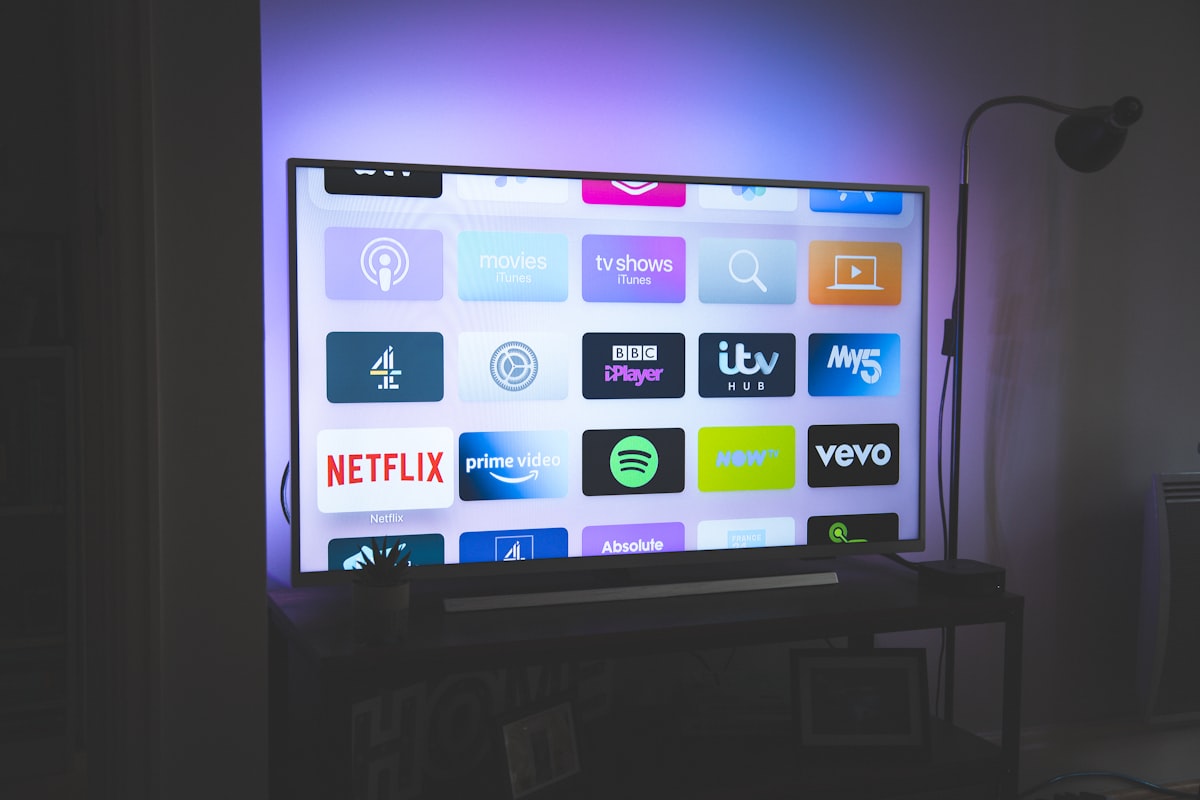
Buy an Apple TV 4K ($129). For 90% of home theater setups, the discussion ends here.
We know that's a strong open for what's supposed to be a comparison article. But after testing every major streaming device through real surround systems (tracking which ones actually pass lossless audio, which ones silently downmix, which ones serve higher bitrate streams), the Apple TV 4K is the clear default. The rest of this article explains why, covers the one scenario where you should buy something else, and addresses the "just use your TV's built-in apps" crowd.
What a Streaming Device Actually Needs to Do
In a home theater context, your streaming device is a source component: the thing feeding signal to your AVR and display. Three capabilities matter, and most people don't realize their current device might be failing at all three.
Lossless audio passthrough. Disney+, Apple TV+, and Netflix encode their premium content in Dolby Atmos (via Dolby Digital Plus or TrueHD) and DTS:X. But not every streaming device can pass these formats to your AVR intact. Some downmix to stereo or basic 5.1 before the audio even leaves the device. You paid for a 7.1.4 Atmos system and your streaming box is sending it a stereo signal. You'd never know unless you check the AVR's info display.
HDR format support. Dolby Vision, HDR10, HDR10+, HLG. If your device doesn't support the format your TV handles best, the TV either gets SDR content or does an imperfect conversion. A Dolby Vision TV paired with an HDR10-only streaming device is leaving meaningful picture quality on the table.
Streaming bitrate. The Apple TV 4K consistently receives higher bitrate encodes from Apple TV+ and several other services compared to Fire TV or Roku. This translates directly to fewer compression artifacts, especially in dark scenes, exactly where home theater owners are most likely to notice. The difference is visible.
Rob's take
The eARC argument is the reason most people should buy an Apple TV even if they primarily use their TV's built-in apps. The signal path through eARC introduces format handshaking variables that cause real, intermittent problems in ways that are nearly impossible to diagnose. I've spent hours troubleshooting Atmos dropouts that turned out to be eARC negotiation failures between specific TV and AVR firmware combinations. Direct HDMI from a dedicated device eliminates that entire category of problem.
Apple TV 4K ($129): The Home Theater Default
The Apple TV 4K earns the default recommendation through consistent A/V performance, not brand loyalty.
Audio: Passes Dolby Atmos (DD+ and MAT-encoded TrueHD) to AVRs over HDMI. Supports lossless audio from Apple Music. Handles audio format switching cleanly when moving between apps. No pops, dropouts, or format renegotiation delays that plague some competitors.
Video: Dolby Vision, HDR10, HDR10+, and HLG. Automatic frame rate matching (24fps for film, 60fps for UI). Color output can be calibrated using an iPhone. Not reference-grade, but meaningfully better than uncalibrated defaults. If you care enough about your display to buy a good TV, you should care enough to calibrate the source feeding it.
Interface: Clean, fast, no ads on the home screen. Every major streaming service is represented. The tvOS interface is the least cluttered option. When you walk into your theater room, you want to pick a movie, not dismiss three ad banners.
The downsides are real. YouTube 4K works but may use less efficient encoding depending on content. The Siri remote is polarizing; many users replace it with a Harmony or third-party option. There's no expandable storage for local media without Plex or Infuse. And $129 is three times what an Amazon stick costs. If you just want Netflix in the bedroom, the Apple TV is overkill. For a real home theater, it's the minimum.
Nvidia Shield TV Pro ($200): The Local Media Exception
There is exactly one scenario where we recommend the Shield over the Apple TV: you have a local media library of Blu-ray rips and you play them through Plex or Kodi.
The Shield passes lossless TrueHD Atmos and DTS:X from local files: the full, uncompressed surround audio that streaming services don't deliver. If you've ripped your Blu-ray collection at full quality, the Shield is the only mainstream streaming device that handles that content natively. The Apple TV can do this through the Infuse app ($25/year), which is a good option if you want the better interface, but the Shield handles it without a third-party app.
The Shield's AI upscaling is also genuinely useful; it makes 720p and 1080p content look noticeably better on a 4K display. This matters for older content libraries.
The downsides are bigger than the Apple TV's. The hardware is aging (Tegra X1+, originally 2019). Nvidia has been conspicuously quiet about a successor, and the platform's future is uncertain. Dolby Vision support is limited to specific apps. Google TV's interface is increasingly cluttered with ads and "suggestions" that are really sponsored content. At $200, you're paying more for hardware that's older and an interface that's getting worse over time.
If you don't have a local media library, the Shield offers nothing the Apple TV doesn't do better.
Budget Picks: Fire TV and Roku
The Amazon Fire TV Stick 4K Max ($35-60) and Roku Ultra ($80-100) both pass Dolby Atmos via DD+ and support Dolby Vision, HDR10, and HDR10+. For streaming-only use, the audio and video capabilities are functional.
The Fire TV Stick 4K Max actually has the widest HDR format support of any streaming device, which matters if you have a Samsung TV that benefits from HDR10+. At its price, it's a reasonable choice for a budget home theater build or a secondary room. The Roku Ultra has the cleanest interface of the budget options: a simple app grid with a single ad banner instead of Fire TV's aggressive full-screen promotions.
Neither device matches the Apple TV's streaming bitrate on several services. Neither passes lossless audio from local media. And both have interface experiences that feel budget, because they are. For a dedicated theater room where you want a premium experience, these are stopgaps, not destinations.
What About Your TV's Built-In Apps?
Modern smart TVs have built-in streaming apps that support Dolby Vision and Atmos. LG's webOS, Samsung's Tizen, Google TV on Sony. They all work. So why buy a separate box?
The answer is the signal path. When you use built-in TV apps, audio has to travel backward from the TV to the AVR over the HDMI eARC connection. This is called Audio Return Channel, and in theory it works for Dolby Atmos (DD+ Atmos and some TrueHD Atmos). In practice, eARC introduces a variable that causes real problems: format handshaking failures, lip sync issues, audio dropouts when switching content, and inconsistent behavior across TV/AVR combinations.
A dedicated streaming device connected directly to the AVR sends audio straight to the receiver and passes video through to the TV. No eARC. No backward signal path. No format negotiation quirks. It's a cleaner signal chain, and it eliminates an entire category of support headaches.
If your setup doesn't include an AVR (TV speakers or a soundbar only), built-in apps are fine. The eARC issue only matters when there's a receiver in the chain.
The Actual Recommendation
Apple TV 4K ($129) for the vast majority of home theater setups. Best audio passthrough, best streaming quality, cleanest interface.
Nvidia Shield TV Pro ($200) only if you have a substantial local media library and need native lossless audio playback from Plex or Kodi.
Fire TV Stick 4K Max ($35-60) for budget builds or secondary rooms where you want functional 4K Atmos streaming without paying $129.
Skip the Roku Ultra unless someone in your household specifically needs its simpler interface. The Apple TV isn't that much harder to use, and it's better at everything else.
Whichever device you choose, CinemaConfig validates the entire signal chain (HDMI version, audio format support, and HDR compatibility) from your source device through the AVR to the display. Adding your streaming device to a build catches format mismatches before they become "why isn't Atmos working?" troubleshooting sessions.
Prices and recommendations current as of March 2026.
Rob Teller
Founder, CinemaConfig
15 years in consumer hardware and software, mostly on the product side. NZXT (cases and cooling), Asetek (liquid cooling, global sales), a short run advising on Alienware's roadmap at Dell, then four ... More about Rob · Affiliate disclosure


