Why It Sounds Bad and the $300 Fix (PS5 Pro Home Theater Audio)
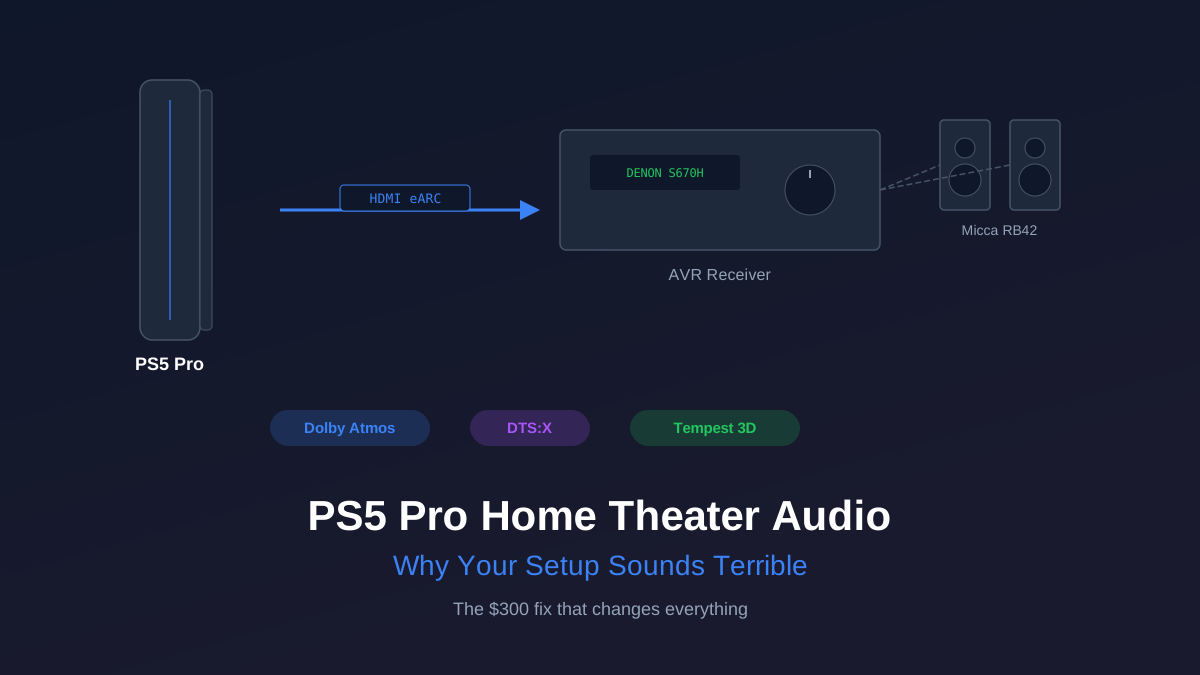
Most PS5 Pro owners spent $700 on the console and are hearing it through $50 TV speakers. That is like buying a Porsche and filling it with 87 octane. The PS5 Pro has genuinely impressive audio capabilities baked into its hardware, and almost nobody is using them because the default HDMI-to-TV path throws all of it away.
I was one of those people for longer than I want to admit. Then I plugged the PS5 into a proper AVR with real speakers, booted up Returnal, and sat there stunned at what I had been missing. Rain hitting surfaces from different angles. Alien shrieks circling behind me. Bass that I felt in my chest instead of hearing as a thin rattle from a TV panel. The game was the same. The experience was completely different.
Here is how to fix your PS5 Pro audio for as little as $300, what the console actually supports, and where the marketing gets confusing.
What the PS5 Pro Actually Outputs (and What It Doesn't)
This is the part Sony's marketing makes confusing. The PS5 Pro supports Dolby Atmos, but only for streaming apps like Netflix and Disney+. Games do not output native Dolby Atmos or DTS:X. Instead, PS5 games use Sony's proprietary Tempest 3D AudioTech, which is an object-based spatial audio engine running on dedicated hardware inside the console.
Tempest is genuinely impressive technology. It processes hundreds of individual sound sources and places them in 3D space around your head. The catch: Sony originally designed it for headphones. The "Tempest for speakers" support that shipped in a later firmware update works, but it sends the output as standard 5.1 or 7.1 PCM over HDMI. Your AVR receives it as a multichannel PCM signal, not as a bitstream with height metadata.
What this means in practice:
- PS5 games: Output Tempest 3D Audio as 5.1/7.1 LPCM. No native Atmos, no DTS:X. Still sounds excellent with a proper speaker setup because the spatial processing happens in the console before it hits your AVR.
- Streaming apps (Netflix, Disney+, etc.): Can output Dolby Atmos and Dolby Digital+ via bitstream. These apps bypass Tempest entirely and send standard Atmos to your AVR for decoding.
- Blu-ray discs: The PS5 outputs Dolby TrueHD and DTS-HD Master Audio bitstreams from 4K Blu-rays. Full lossless surround, decoded by your AVR.
The bottom line: you do not need an Atmos-capable AVR specifically for PS5 gaming, because PS5 games do not send Atmos. But if you also watch movies and stream content through the PS5, Atmos decoding in your receiver becomes genuinely useful.
Rob's take
The PS5 Pro's Tempest 3D audio engine is genuinely impressive through headphones and meaningfully improved over the original PS5. Through a surround system it becomes a question of whether your AVR handles the Atmos or DTS:X passthrough correctly. Most do. Set your PS5 to output bitstream audio, not decoded PCM, and let your AVR handle the decoding. It sounds better and it's fewer processing steps.
HDMI to TV vs. HDMI to AVR: Why the Path Matters
Most people plug the PS5 directly into the TV because it is one cable and it works. The TV then sends audio back to a soundbar or receiver over ARC or eARC. This path has two problems.
First, ARC (not eARC) is limited to Dolby Digital 5.1 compressed. That multichannel LPCM signal from Tempest? Your TV downmixes it to lossy stereo or 5.1 before sending it back over ARC. You are literally losing audio data in the handoff. eARC solves this and can pass full LPCM and Atmos, but only if both your TV and receiver support it.
Second, even with eARC working correctly, you are adding a processing hop. The TV receives the signal, processes it (adding latency), then passes audio back to the receiver. Plugging the PS5 directly into your AVR eliminates that hop entirely. The receiver gets the raw audio signal. Your TV gets the video signal from the AVR's HDMI output.
The correct signal chain: PS5 Pro HDMI out -> AVR HDMI in -> AVR HDMI out (ARC/eARC) -> TV. One extra cable. Massive audio improvement.
The HDMI 2.1 Requirement for 4K/120Hz
Here is where budget AVRs get tricky. If you play games at 4K/120fps (and the PS5 Pro can do this in several titles), you need HDMI 2.1 on the AVR's input port. HDMI 2.0 maxes out at 4K/60Hz. Older or cheaper receivers with HDMI 2.0 will force you to choose: full resolution gaming through the TV (losing proper audio), or proper audio through the AVR (capped at 4K/60).
The Denon AVR-S670H ($250) is the cheapest receiver I would recommend for PS5 Pro use. It has three HDMI 2.1 inputs supporting 8K/60 and 4K/120 passthrough with VRR and ALLM. That covers everything the PS5 Pro can output with no compromises. It also decodes Dolby Atmos and DTS:X for your streaming and Blu-ray content.
If you are shopping for receivers, our AVR buying guide covers the full HDMI 2.1 landscape and which models to avoid.
The $300 Starter: AVR + Stereo Pair
This is the tier that makes the biggest difference per dollar spent. Forget 5.1 surround for now. A good stereo pair driven by a real AVR will demolish any soundbar under $500, and most soundbars over $500 too.
- Denon AVR-S670H ($250): 5.2 channel, 75W per channel, HDMI 2.1, Audyssey MultEQ room correction. The room correction alone is worth the price of admission. It measures your room's acoustics with a microphone and adjusts EQ to compensate for the weird reflections and bass nulls that every room has.
- Micca RB42 ($150/pair): 4-inch woofer, silk dome tweeter, surprisingly deep bass for their size. They punch well above their price. Not audiophile reference monitors, but for gaming and movies they deliver impact and clarity that will genuinely shock you if you are coming from TV speakers.
Total: $400 at retail, frequently closer to $300 when the Denon goes on sale (it drops to $200-220 regularly on Amazon). Set the crossover at 80Hz in the Denon's setup menu, run Audyssey with the included microphone, and you are done. The whole process takes 20 minutes.
This setup gets you proper stereo imaging for games, clear dialogue in cutscenes, actual bass response, and Tempest 3D Audio working as Sony intended (through real speakers instead of TV panels that cannot physically reproduce low frequencies).
The $600 Upgrade: Add a Subwoofer
Stereo speakers can only move so much air. For the chest-punch explosions in Helldivers 2 and the rumbling machinery in Horizon Forbidden West, you need a dedicated subwoofer.
The RSL Speedwoofer 10S MKII ($400) is a 10-inch ported sub that hits hard and deep for its price. It reaches down to about 24Hz, which means you will feel those deep bass effects that the Micca speakers physically cannot reproduce. The RSL integrates cleanly with bookshelf speakers because it does not try to be louder than the room needs. It just fills in the bottom octave that small speakers miss.
The trade-off: the Speedwoofer is not small. It is roughly 15 x 17 x 18 inches. If you are in a small apartment, the SVS SB-1000 Pro ($500) is a sealed alternative that takes up less space and still reaches into the low 20Hz range. It costs $100 more and does not hit quite as hard, but it is tighter and more controlled in smaller rooms.
At the $600 tier (Denon + Miccas + RSL), you have a 2.1 system that handles everything the PS5 Pro can throw at it. Tempest 3D Audio through real speakers with real bass. Lossless Blu-ray audio. Dolby Atmos from streaming apps. This is the sweet spot for most gamers who want great audio without running speaker wire to five locations.
The $1,000 Full 5.1 Setup
If you want surround channels for the full Tempest spatial experience, here is where the PS5 Pro's audio engine really shines. Tempest places sounds in 3D space, and with speakers behind you, those placements become physical. You hear enemies flanking in multiplayer. You hear rain falling in specific directions. It is a competitive advantage in some games and a massive immersion upgrade in all of them.
Add to the $600 tier above:
- Micca RB42 rear pair ($150): Same speakers as the fronts. Match your surrounds to your fronts for a cohesive sound field.
- Micca RB42-C center channel ($80): Dedicated center channel for dialogue. In single-player games with heavy voice acting (God of War Ragnarok, Final Fantasy XVI), a center channel makes dialogue crisp and anchored to the screen instead of floating vaguely between two speakers.
Total for the full 5.1 system: roughly $1,000. The Denon S670H handles all five channels plus the sub with room to spare. Run Audyssey again after adding the new speakers (it re-measures and recalibrates everything), set all speakers to "small" with an 80Hz crossover, and let the receiver do the rest.
CinemaConfig's system builder can help you spec this out with matched components and proper crossover settings if you want to swap in different speaker brands or price points.
PS5 Audio Settings You Need to Change
The PS5's default audio settings are optimized for TV speakers and headphones. Once you have an AVR connected, change these immediately:
- Settings > Sound > Audio Output > HDMI Device Type: Set to "AV Amplifier." This unlocks multichannel output options the console hides when it thinks you are on a TV.
- Number of Channels: Match your speaker layout. Select 5.1 or 7.1 depending on your setup. For a stereo pair, select 2ch.
- Audio Format (Priority): Set to "Linear PCM." This sends uncompressed multichannel audio to your AVR. The "Bitstream (Dolby)" option is only useful if your AVR cannot handle LPCM, and any modern receiver can.
- 3D Audio for Speakers: Enable this under Sound > Audio Output. Select your speaker layout. Sony's measurement tool will play test tones and calibrate Tempest for your physical speaker positions.
That last setting is the one most people miss. Without enabling 3D Audio for speakers and running the calibration, Tempest outputs a flat stereo or standard 5.1 mix. With it enabled, you get the full spatial processing that makes the PS5's audio engine special.
If you have been gaming on TV speakers or a basic soundbar, any of these tiers will feel like upgrading to a new console. The PS5 Pro's audio hardware is already doing impressive work. It just needs speakers that can actually reproduce what the console is sending. $300 gets you there. Everything above that is gravy.
Rob Teller
Founder, CinemaConfig
15 years in consumer hardware and software, mostly on the product side. NZXT (cases and cooling), Asetek (liquid cooling, global sales), a short run advising on Alienware's roadmap at Dell, then four ... More about Rob · Affiliate disclosure


