Dolby Digital Plus vs TrueHD - Why Netflix Sounds Worse
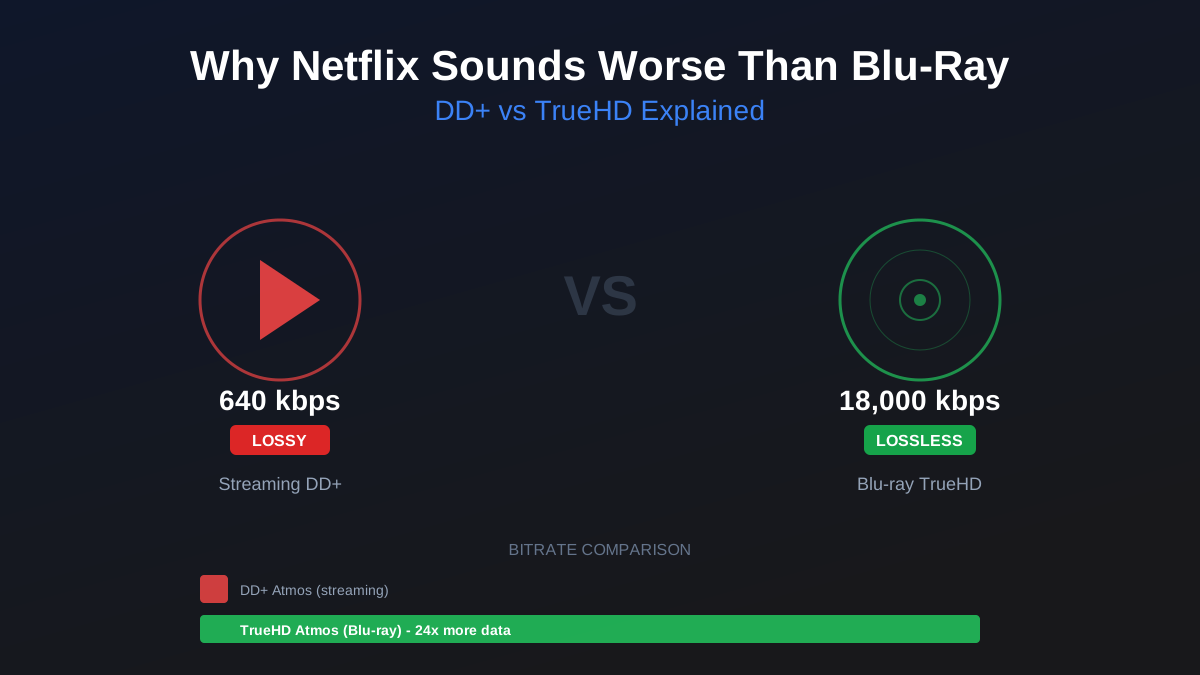
Netflix's "Dolby Atmos" audio runs at 768 kbps. The same movie on Blu-ray runs at up to 18,000 kbps. That is a 24x bitrate difference. And no, it is not just a number on a spec sheet. On any halfway decent surround system, you can hear it.
The reason is simple: Netflix uses Dolby Digital Plus. Blu-ray uses Dolby TrueHD. They are fundamentally different codecs with fundamentally different goals. One prioritizes bandwidth efficiency. The other prioritizes audio fidelity. Understanding the difference will change how you think about your movie collection.
The Codec Breakdown
Dolby Digital Plus (DD+) is a lossy codec. Think of it like MP3 for surround sound. It analyzes the audio, decides which parts of the signal are "least important" based on psychoacoustic models, and throws them away to shrink the file size. The result is a compressed stream that sounds close to the original but is not identical. Streaming services love DD+ because it delivers passable surround sound at a fraction of the bandwidth cost.
Dolby TrueHD is a lossless codec. Think of it like FLAC for surround sound. It compresses the audio mathematically without discarding any data. When your AVR decodes a TrueHD stream, it reconstructs the exact same audio the mixing engineer signed off on in the studio. Bit-for-bit identical. This is what Blu-ray discs use, and it is why they sound better.
Both codecs can carry Dolby Atmos metadata (the object-based height channel information that tells your system where to place sounds in 3D space). But the underlying audio quality is worlds apart. Streaming "Atmos" is Atmos spatial data riding on a lossy DD+ foundation. Blu-ray Atmos is the same spatial data riding on a lossless TrueHD foundation.
Rob's take
The streaming Atmos-vs-disc Atmos gap is real but smaller than enthusiast forums suggest. DD+ Atmos at 768 kbps from Netflix sounds noticeably better than DD+ at 640 kbps from some services, and both sound genuinely good through a capable Atmos system. TrueHD Atmos from UHD Blu-ray is objectively better — lossless is lossless — but the practical gap in everyday viewing is smaller than the codec war rhetoric implies.
Streaming Services Ranked by Audio Quality
Not all streaming platforms handle audio the same way. Here is how the major services stack up as of early 2026:
Apple TV+ is arguably the best streaming audio you can get right now. Their DD+ Atmos streams tend to run at the highest bitrates among the major platforms, and their original content is generally mixed with more care for the streaming deliverable. If you are streaming-only, Apple TV+ is the one to pick for audio quality.
Netflix offers DD+ Atmos on most of its high-profile originals and a growing catalog of licensed titles. Bitrates hover around 640-768 kbps for Atmos content. It is solid for streaming and noticeably better than standard 5.1, but the lossy compression is still audible on a revealing system. Netflix deserves credit for making Atmos widely available, even if the underlying quality has limits.
Disney+ supports DD+ Atmos across much of its catalog, including the Marvel and Star Wars libraries. Bitrates tend to run slightly lower than Netflix in practice. Audio quality is decent but not class-leading. The bigger issue is inconsistency: some titles sound great, others sound like they were encoded as an afterthought.
Amazon Prime Video is the most inconsistent of the bunch. Some titles get DD+ Atmos. Many are stuck at standard Dolby Digital 5.1 at mediocre bitrates. Amazon has the catalog depth but does not seem to prioritize audio encoding quality the way Apple or Netflix do. Check the audio format on a per-title basis before assuming you are getting the best available track.
Can You Actually Hear the Difference?
This is the question everyone asks, and the honest answer is: it depends on your system.
Soundbar: Probably not. Most soundbars are the bottleneck in the chain, not the source audio. The drivers are small, the processing is aggressive, and the spatial simulation is doing most of the heavy lifting. A soundbar will not reveal the difference between DD+ and TrueHD in any meaningful way. Stream away and do not worry about it.
5.1 or 7.1 with budget speakers: Maybe. You might notice that Blu-ray audio sounds "fuller" or "more dynamic" during action sequences, but the difference will be subtle. If your speakers cost less than your streaming subscriptions, the encoding format is not your biggest limiting factor.
5.1.2 or better with quality speakers and a dedicated subwoofer: Yes. This is where the gap becomes obvious. The differences show up in three specific areas:
- Dynamics: TrueHD preserves the full dynamic range from the quietest whisper to the loudest explosion. DD+ compresses this range to fit the bitrate budget. The result is that streaming audio sounds "flatter" during intense scenes. Quiet details get lost, and loud moments lack the same punch.
- Surround precision: Object-based Atmos effects (rain moving overhead, a helicopter panning from left rear to right front) are more precisely placed with TrueHD. DD+ Atmos still moves sounds around the room, but the positioning is less exact and transitions between speakers are less smooth.
- LFE channel detail: The subwoofer channel takes a real hit from lossy compression. Deep bass textures, the rumble of an engine, the subsonic thud of an explosion all lose nuance when compressed. On a capable subwoofer (something like an SVS PB-2000 or better), the difference between streaming bass and Blu-ray bass is hard to ignore.
I run a 5.1.4 system with KEF Q series speakers and dual SVS subs. The first time I A/B tested the same movie on Netflix versus Blu-ray, the difference was immediately apparent. Not subtle. Not "only if you know what to listen for." Obvious. Once you hear it, you cannot unhear it. Streaming audio sounds compressed in the same way a 128 kbps MP3 sounds compressed next to a CD. It is that kind of gap.
The eARC Factor
Here is a detail that catches people off guard: even if you own a Blu-ray player and a disc with TrueHD, you might not be getting lossless audio.
If your Blu-ray player connects to your TV first (via HDMI), and your TV sends audio to your AVR or soundbar via HDMI ARC, you have a problem. Regular ARC (Audio Return Channel) caps out at lossy Dolby Digital Plus. It physically cannot pass a lossless TrueHD or DTS-HD MA stream. Your expensive Blu-ray disc gets downgraded to the same quality as a Netflix stream before it ever reaches your speakers.
The fix is eARC (Enhanced Audio Return Channel), which supports lossless audio passthrough. Both your TV and your AVR need to support eARC, and you need an HDMI cable rated for it (any Ultra High Speed or Premium High Speed cable will work). Alternatively, connect your Blu-ray player directly to your AVR instead of routing through the TV, which bypasses the ARC limitation entirely.
This is one of the most common home theater misconfigurations. People buy a 4K Blu-ray player expecting lossless audio and never realize their ARC connection is silently stripping it away. If you are not sure whether your setup passes lossless audio, check your AVR's display while playing a disc. It should show "Dolby TrueHD" or "DTS-HD MA," not "Dolby Digital Plus" or "Dolby Digital." If it shows the lossy format, your signal chain has a bottleneck. For a full breakdown of HDMI versions, ARC vs eARC, and what each supports, see our HDMI cable guide.
The Practical Playbook
Here is what I actually recommend based on how most people use their systems:
If you have a soundbar or basic 5.1 setup: Do not buy Blu-rays for audio quality. The difference will not justify the cost and inconvenience. Stream everything and put that money toward better speakers instead.
If you have a serious surround system (5.1.2 or better with quality components): Buy physical 4K Blu-ray discs for the 20-30 movies you care about most. Your reference-quality demo discs, your favorite films, the ones you rewatch. Stream everything else. This hybrid approach gets you lossless audio where it matters most without requiring you to build a physical media library for every random Tuesday night movie.
If you are building a new system: Make sure your AVR has eARC (most receivers from the last three years do). Connect your Blu-ray player directly to the AVR, not to the TV. And budget for a decent player. The Panasonic UB820 remains the gold standard for 4K disc playback, and used units regularly show up for around $250.
For more on how DTS:X and Dolby Atmos compare in practice, or to understand the real-world differences between DTS:X and Dolby Atmos, we have deep dives on both.
The Bottom Line
Streaming services did something remarkable by bringing Dolby Atmos to millions of living rooms. Five years ago, spatial audio was a niche feature for dedicated theater rooms. Now it is on every smart TV and most soundbars. That is genuinely great for the industry.
But calling DD+ "Dolby Atmos" without acknowledging the quality gap is misleading. It is like calling a 128 kbps MP3 "high-fidelity audio" because it uses the same song title as the CD. Technically the spatial metadata is there. The audio quality carrying it is not in the same league.
If you have invested in a real surround system with good speakers, a capable subwoofer, and height channels, you owe it to yourself to hear what that system can actually do. Buy a 4K Blu-ray of a movie you know well. Something with a great sound mix like Dune, Mad Max: Fury Road, or Top Gun: Maverick. Play it with TrueHD Atmos. Then stream the same movie. You will understand the 24x bitrate difference in about 30 seconds.
Stream for convenience. Spin a disc for the experience. That is the move.
Rob Teller
Founder, CinemaConfig
15 years in consumer hardware and software, mostly on the product side. NZXT (cases and cooling), Asetek (liquid cooling, global sales), a short run advising on Alienware's roadmap at Dell, then four ... More about Rob · Affiliate disclosure


